 |
CSLA .NET 10.0.0
A home for your business logic
|
|
CSLA .NET 10.0.0
A home for your business logic
|
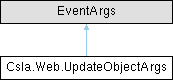
Argument object used in the UpdateObject event. More...
Public Member Functions | |
| UpdateObjectArgs (System.Collections.IDictionary keys, System.Collections.IDictionary values, System.Collections.IDictionary oldValues) | |
| Creates an instance of the object. | |
Properties | |
| int | RowsAffected [get, set] |
| Gets or sets the number of rows affected while handling this event. | |
| System.Collections.IDictionary | Keys [get] |
| The list of key values entered by the user. | |
| System.Collections.IDictionary | Values [get] |
| The list of data values entered by the user. | |
| System.Collections.IDictionary | OldValues [get] |
| The list of old data values maintained by data binding. | |
Argument object used in the UpdateObject event.
|
inline |
Creates an instance of the object.
| ArgumentNullException | keys , values or oldValues is null. |
|
get |
The list of key values entered by the user.
It is up to the event handler in the web page to take the list of values, put them into a business object and to save that object into the database.
|
get |
The list of old data values maintained by data binding.
It is up to the event handler in the web page to take the list of values, put them into a business object and to save that object into the database.
|
getset |
Gets or sets the number of rows affected while handling this event.
The code handling the event should set this value to indicate the number of rows affected by the operation.
|
get |
The list of data values entered by the user.
It is up to the event handler in the web page to take the list of values, put them into a business object and to save that object into the database.
 1.16.1